
- Help centre
- Emails and automations
Writing and sending an email
Write it like a normal email, test it on yourself, send now or at the time you choose.
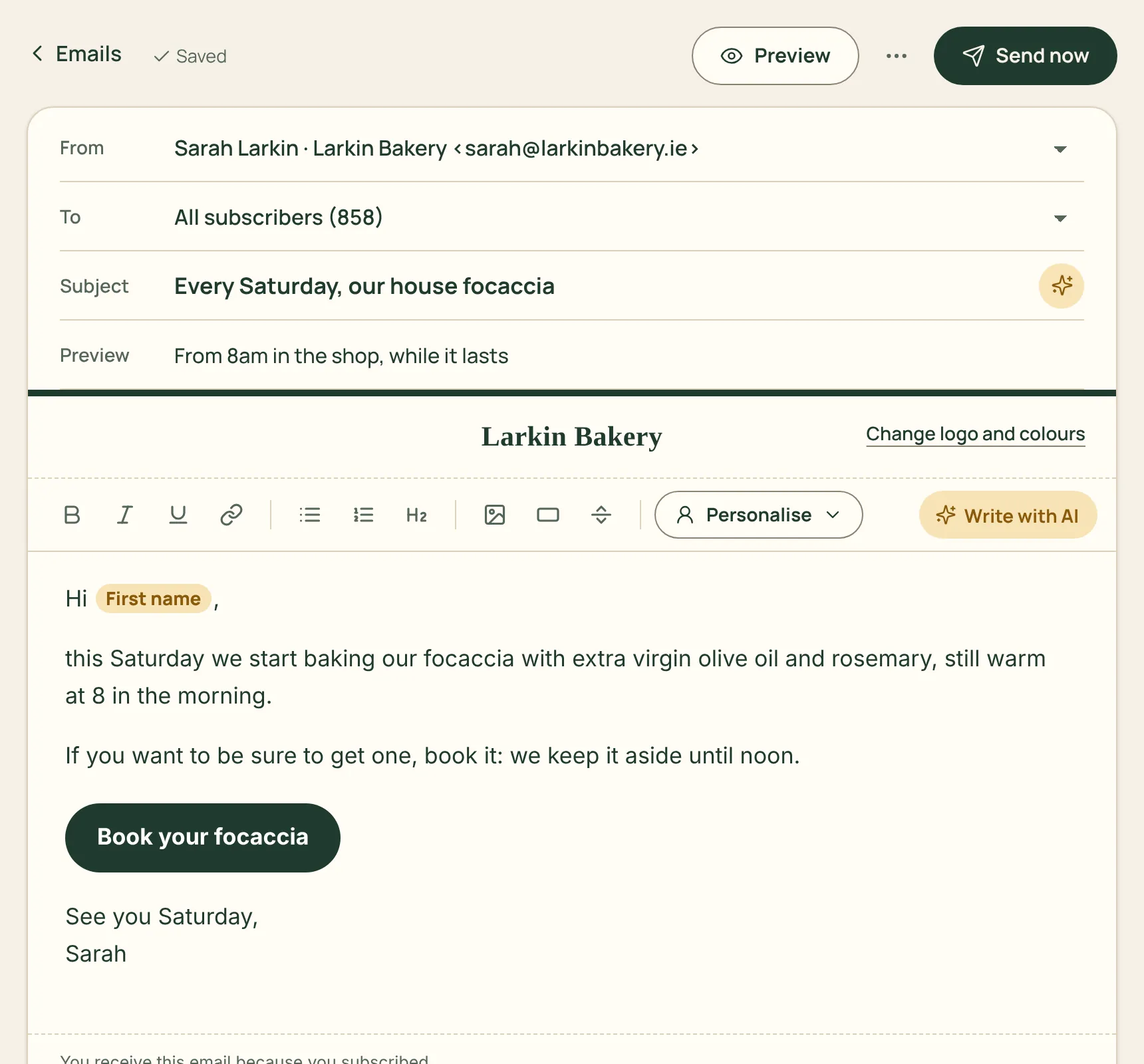
An email in Spedito is written like a normal email, with no complicated templates. You set your logo, colours and footer once in Settings › Email style and they apply to every email.
How to do it
- Press Write an email, pick the sender and write the subject: it is what decides whether the email gets opened.
- Write the text. The toolbar has the essentials: bold, links, lists, a heading, an image, a button. Personalise adds each person’s name.
- Check the Preview on desktop and phone, then press Send me a test.
- Press Send now and choose who gets it, or Schedule to have it go out on its own at a set time.
Not sure where to start? Write with AI drafts a first version from your notes, which you then edit as you like (1 credit).
With Test two subjects we send two subject lines to a small group, then the better one to everyone else.