
- Help centre
- Emails and automations
Emails in several languages
Everyone gets the email in their language: the AI translates, you check.
Every contact has a language, which comes from the import, the form they signed up with or your shop. So you can write in one language and send everyone their own.
How to do it
- Write the email in your language.
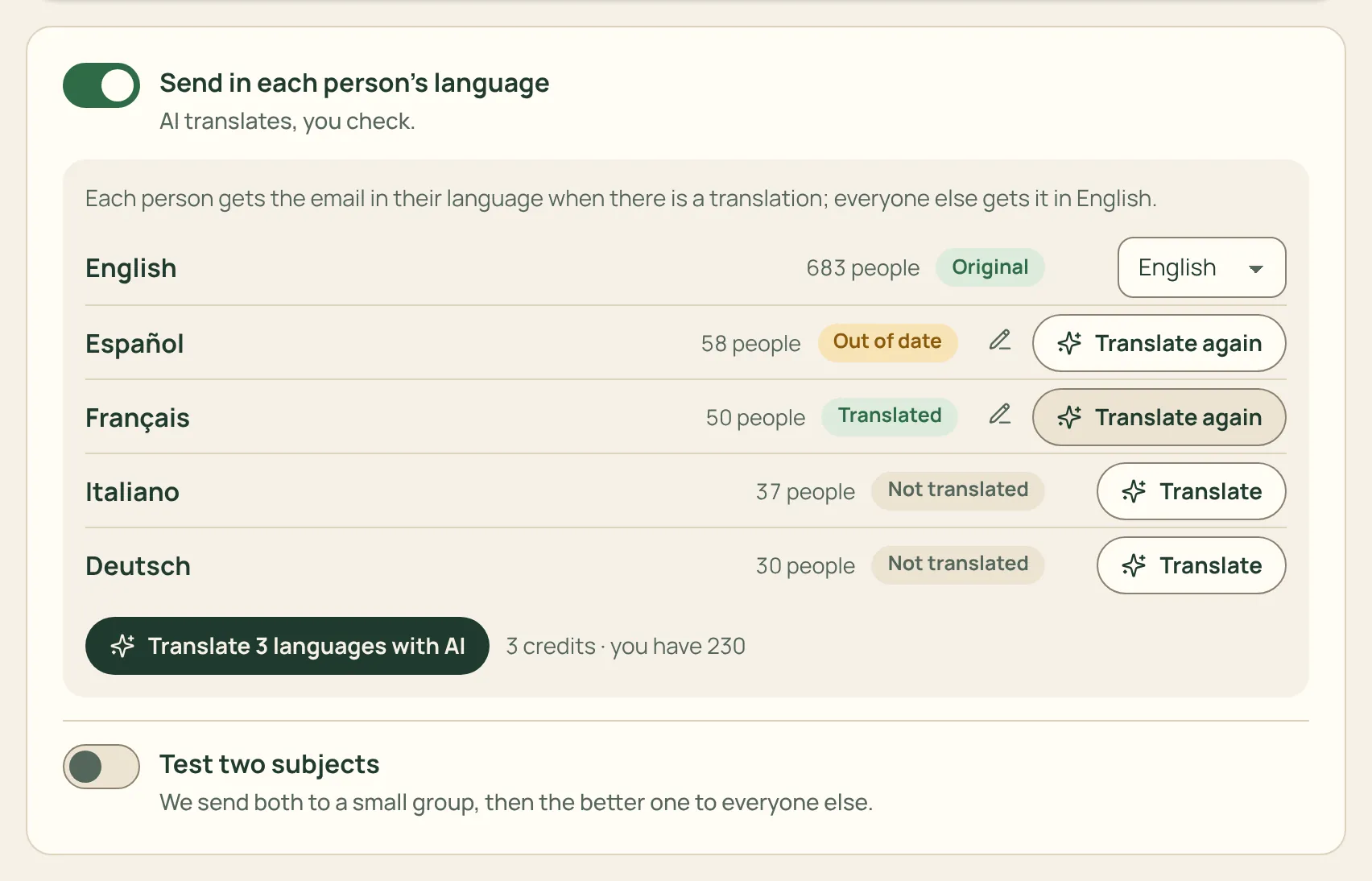
- Turn on Send in each person’s language: you see how many people speak each language.
- Press Translate: the AI translates subject and text (1 credit per language). Open each version and fix whatever you like.
- Send: everyone gets the version in their language. People whose language has no translation get the original.
Footer, unsubscribe link and confirmation pages are always in the right language, with nothing for you to do. The report shows opens and clicks for each language.