
- Help centre
- Emails and automations
Reading your results
Opens, clicks, unsubscribes and new subscribers: what to look at, and what not to.
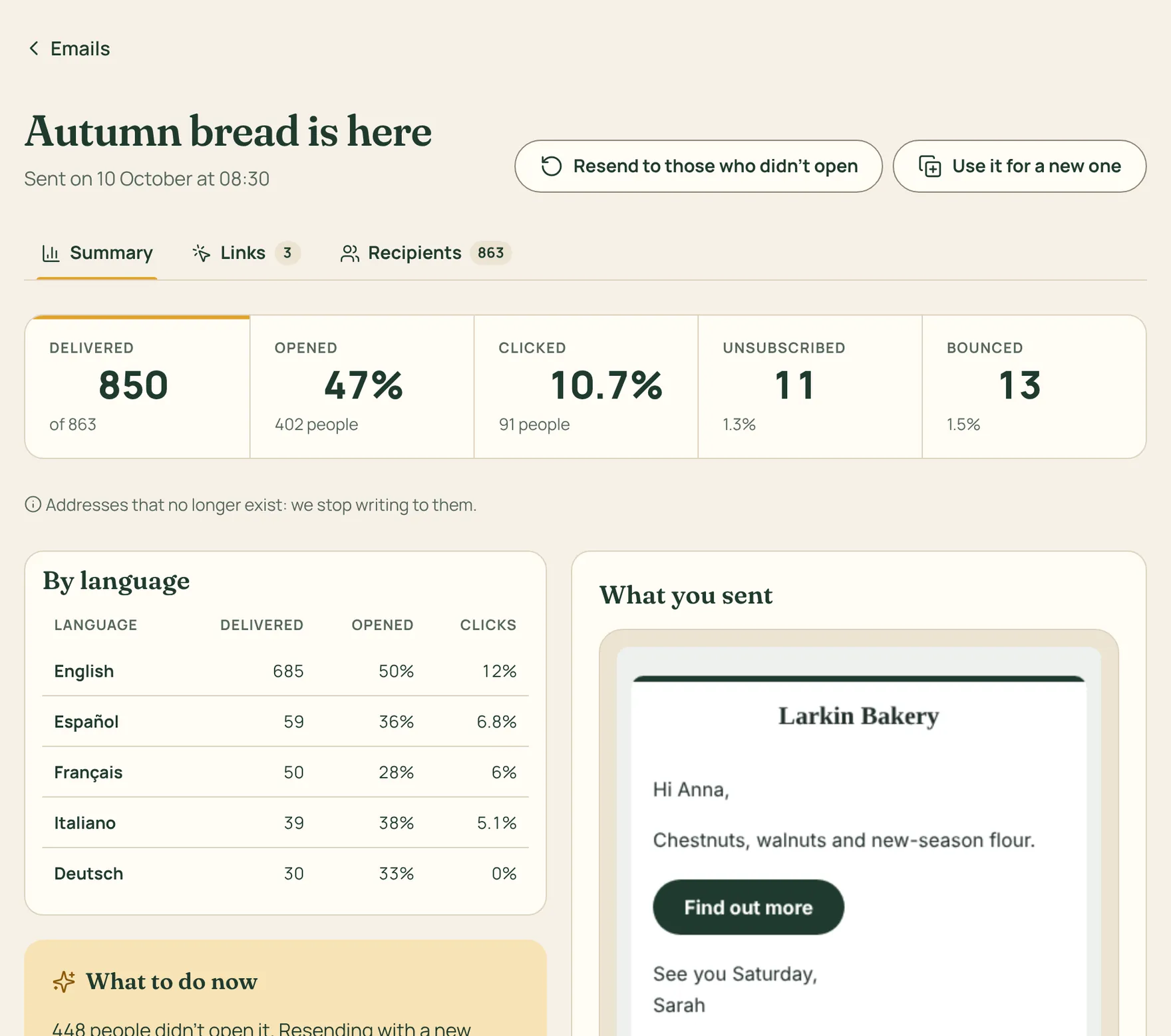
Every email you send has its own report, and the Reports page shows how your list is doing over time.
How to do it
- Open a sent email: you see how many people opened it, who clicked and on which links, who unsubscribed and which addresses bounced.
- In Reports you find new subscribers and where they came from, how opens are trending and the results of every automation.
- The day after each send we email you a summary, and every Monday morning one for the week. You can turn them off in Settings › Notifications.
Opens are an estimate: some mail apps, like Apple Mail, load images on their own, others block them. Look at the trend more than at a single number. Clicks, on the other hand, are exact.