
- Help centre
- Account and billing
Invoices and e-invoicing
Where to find your invoices, which details we need and how e-invoicing works in Italy.
We issue an invoice for every payment, with the right VAT for your country. You’ll find them all in Settings › Plan and billing, under Invoices.
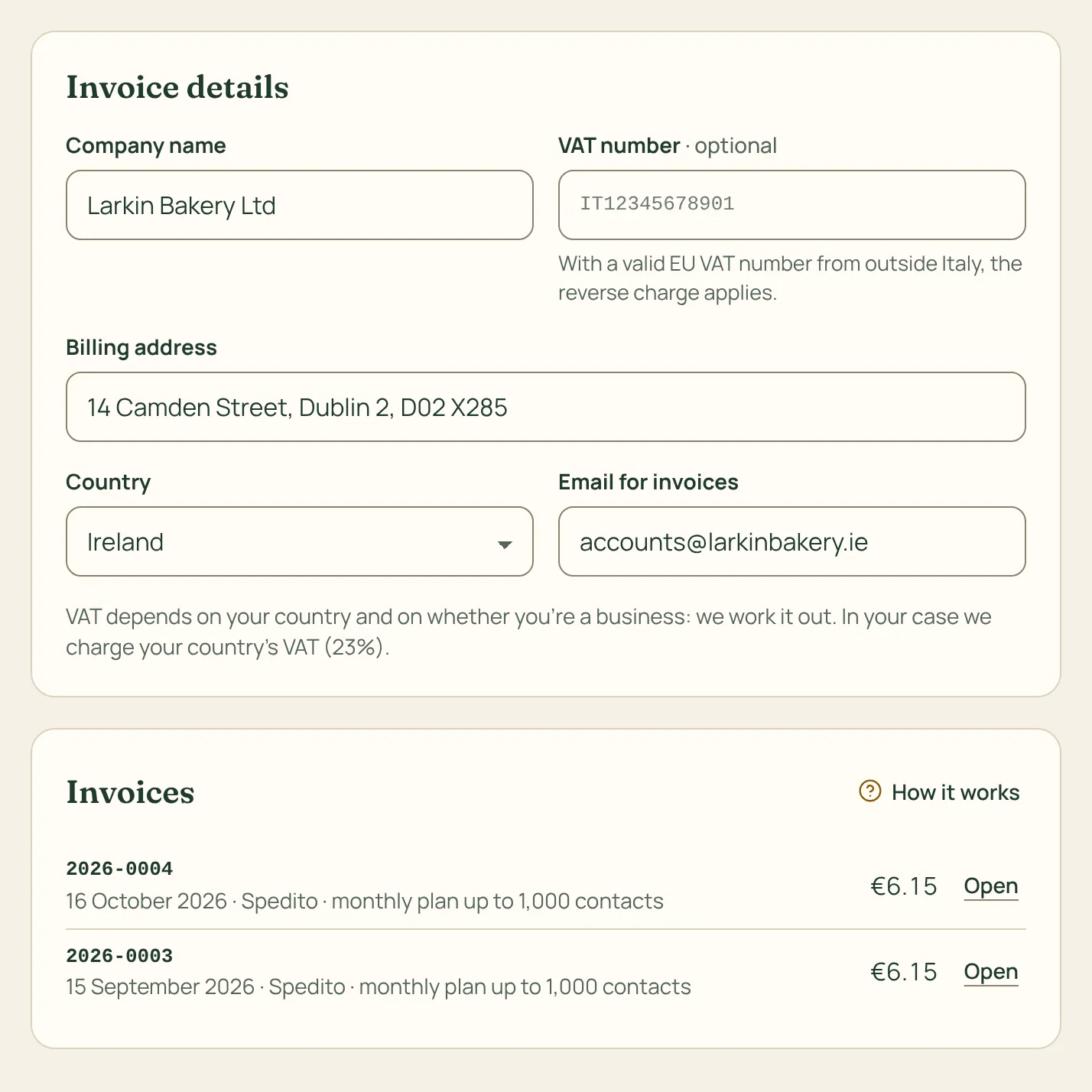
How to do it
- Before paying, fill in the Invoice details: company or full name, address, country and, if you are a business, your VAT number.
- If you are in Italy, add your recipient code (codice destinatario) or PEC if you are a business, or your tax code (codice fiscale) if you are a private person: they are needed for Italian e-invoicing.
- Every invoice can be opened, printed or saved as PDF. To receive them at another address, for example your accountant’s, fill in Email for invoices.
EU businesses with a valid VAT number get the reverse charge, so the invoice has no VAT. We check the VAT number in the EU’s VIES system.
In Italy the e-invoice arrives through the Sistema di Interscambio; the one you see in Spedito is the courtesy copy.
If you get a refund we issue a credit note, which you’ll find in the same list.