
- Help centre
- Getting started
Verifying your domain
Four DNS records tell Gmail and Outlook that your emails really come from you.
Gmail, Yahoo and Outlook ask anyone sending newsletters to prove the emails really come from them. Without verification your emails land in spam more often, or get rejected.
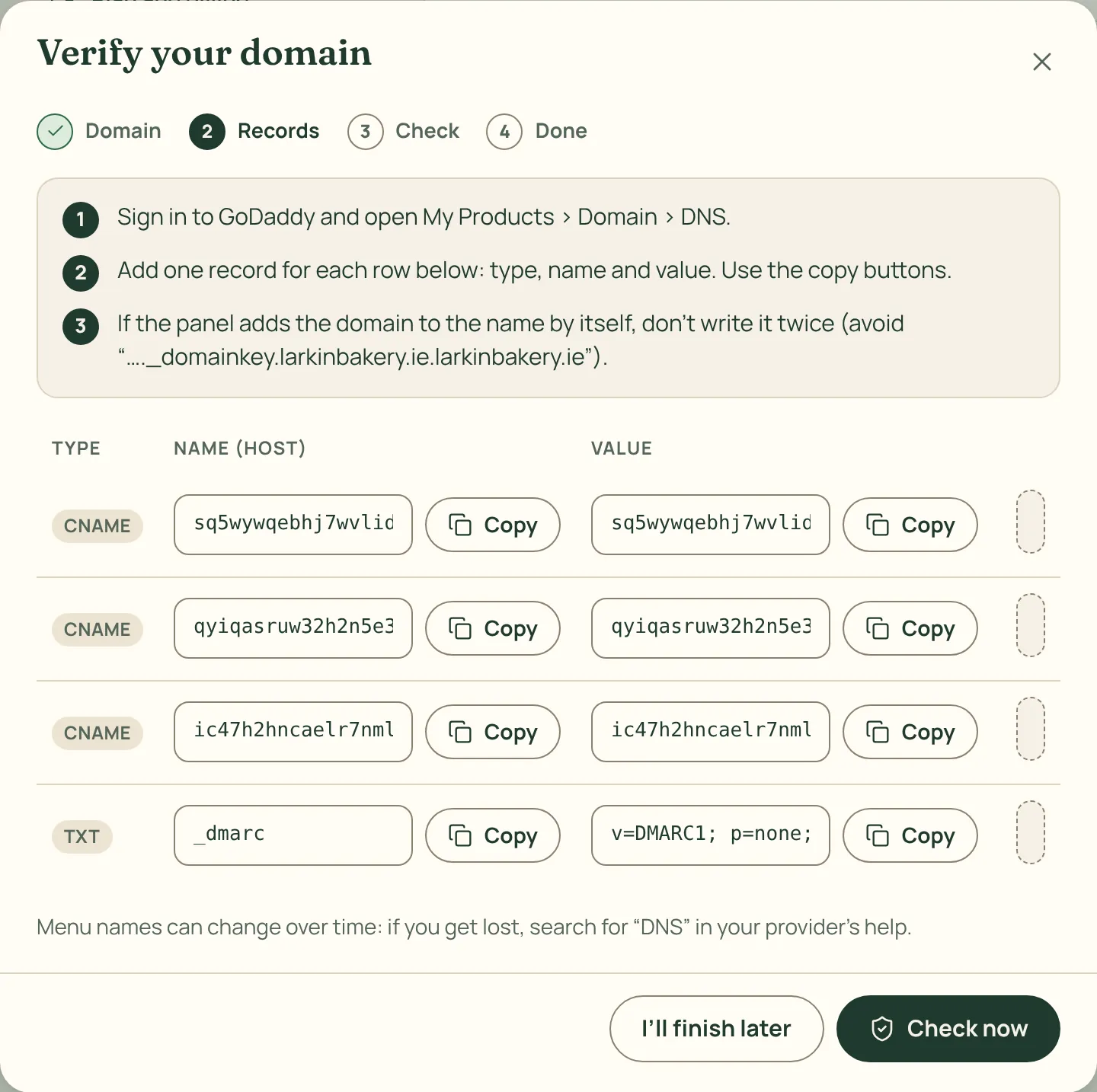
How to do it
- Go to Settings › Senders and domain and press Add domain. Type your website’s domain, for example yourshop.com.
- Pick where you bought it (GoDaddy, Namecheap, Cloudflare, IONOS, OVH, Squarespace…): we show you where to click at that provider.
- Copy the four records (three CNAME and one TXT) into the provider’s DNS settings. Each value has its own Copy button.
- Come back to Spedito and press Check now. We also check on our own from time to time and let you know when everything is in place.
DNS changes can take from a few minutes to a few hours. Meanwhile you can keep preparing your emails.